Pick up the work. Not the whole explanation.
Keep the goal, completion criteria, dependencies, and source context with each task—so the next person or coding session can see what remains and why.
Give the next session a task it can understand.
Work keeps an objective, completion criteria and project context together while implementation moves between people or agents.
“Build the reminder worker. Use the queue decision, wait for the signing-status API, and check that signed documents are skipped.”
Step 1
Describe the outcome
Create a work item with its scope and criteria. Link the Library decision that explains the design.
Step 2
See what is blocking it
Keep the signing-status dependency and the next decision with the work, rather than in a chat aside.
Step 3
Resume with context
Open the saved item in a later session, review its state and evidence, and choose the next action.
About this illustration
This example explains the workflow. A product recording is planned for this space showing a task with source links, a dependency, criteria and a later-session return.
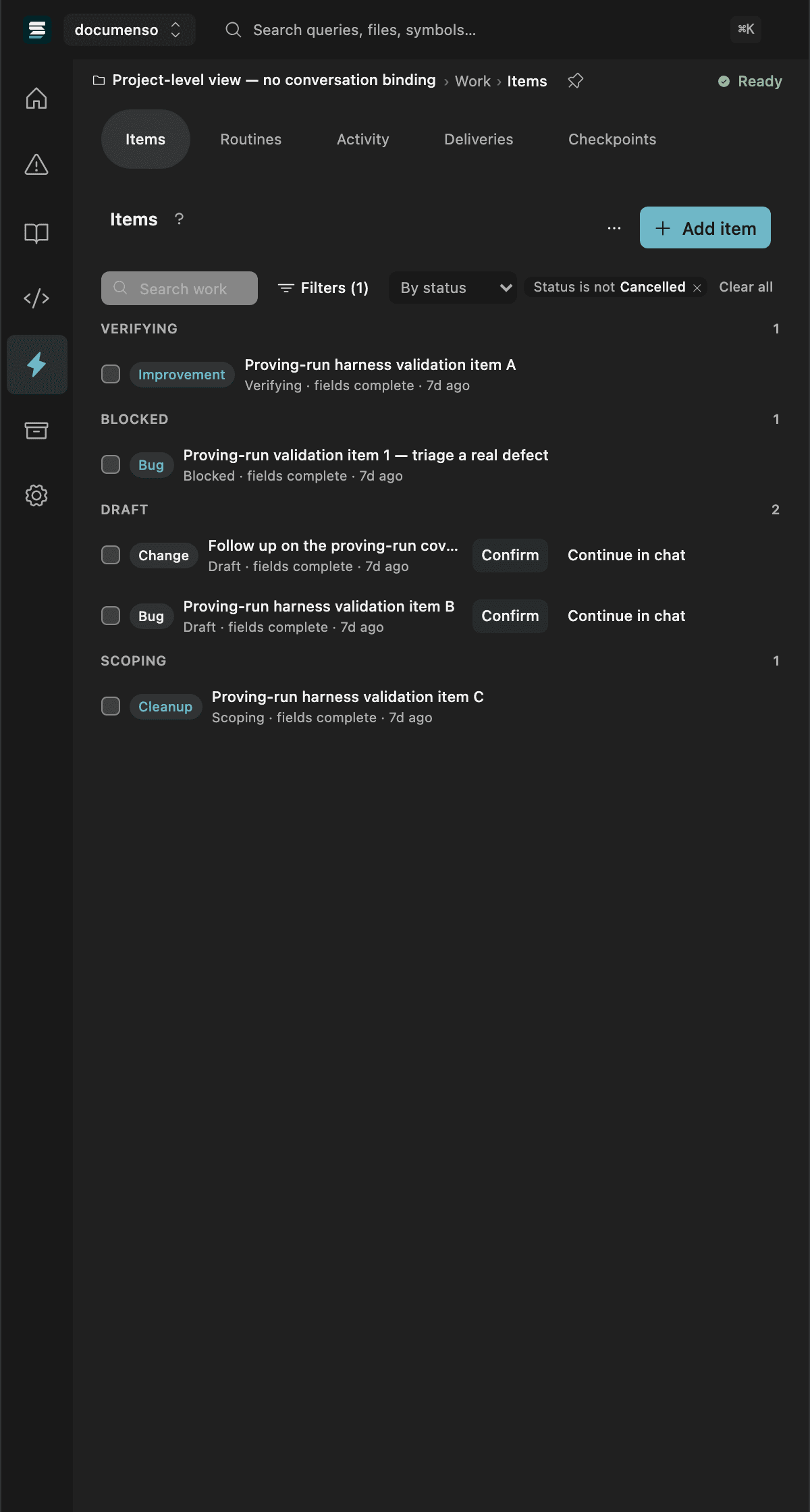
ORCHESTRATE WORK
Findings become work.
Work carries everything forward.
Stop leaving the next step in a chat message. Turn a finding or request into work with a clear goal, source context, and completion criteria. The next session can see what is blocked, what is ready, and what still needs checking. Use a routine when the same process needs to happen again.
Work arrives from three directions
and all three produce the same thing
Promoted with the file, the line, and the evidence still attached.
You log it — or the model logs it mid-conversation, through the same tool.
Describe recurring work to your assistant, then review the routine it drafts before publishing or starting it.
work · unguarded endpoint in handler.ts
from GC-08 · handler.ts:42
scope src/api/handler.ts
done route is guarded, test covers it
Make recurring work repeatable.
Explore the routine library for structured practices that can carry project work forward.
Explore routinesKeep research and design decisions available as task context.
Explore LibraryExplore findings, project context, and completion
From discovery to action
A finding is not the same as finished work.
An observation can be captured for investigation. A finding describes something that needs attention. Work gives someone an objective, context, dependencies, and a way to check the result. Keeping those distinctions makes it easier to see what is still unresolved.
Project Intelligence can surface findings through supported detectors; findings can also come from other sources. Review the evidence before deciding what belongs in the work queue.
Explore findingsFor example, an authentication change might expose an assumption in an API task. Rather than treating both tasks as complete because their individual checks passed, record the discrepancy, assign the follow-up, and review the relevant integration evidence. This is an illustrative workflow, not a claim that every conflict is automatically detected.
CENTRALIZED CONTEXT
The project is canonical.
The harness is interchangeable.
The project state — not the host's transcript or temporary task list — is the durable source of truth. Free Local works through the supported harnesses listed in the integration catalog. Connected plans will add cloud-synced state and shared web views.
Build routines by conversation
Describe the recurring work in your own words — the trigger, the steps, and the limits. Your assistant drafts the routine, validates it, and shows a dry run of what would execute before asking to publish.
Control stays explicit
Publishing needs your approval, and starting a routine is a separate decision. The harness drives execution; Strata19 provides the project state, work model, and verification.
Completion requires evidence
Supported work can keep completion evidence with its context — not just a model saying "done."
Interruption is not loss
Recorded work and project state can be returned to after a conversation ends.
Explicit approvals
Deviations, pauses, approvals, and recovery are explicit — not hidden in a transcript.
Start the work. Continue it anywhere.
Install the free local plugin and give your projects durable work that survives the conversation.
Install Free